As part of the University's Staff Collaborative Review process, you'll need to work from the review template provided by Human Resources, either in print or digitally. The steps below will help you create an editable version of the form that can be shared and completed with your supervisor.
Print the Collaborative Review Form
Any university employee may print the PDF at the bottom of this website:
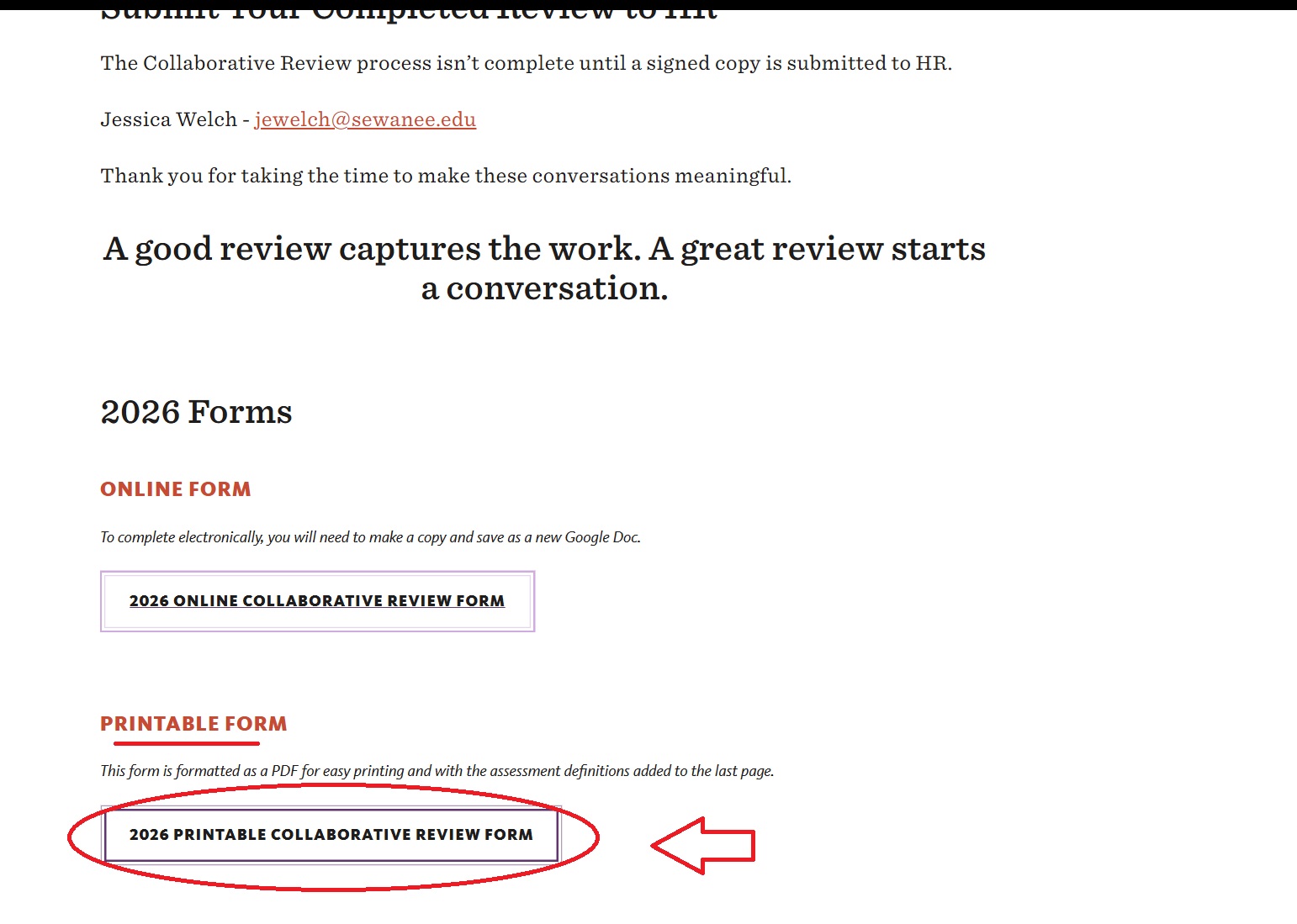
Employees should speak with their supervisor to get assistance with printing their collaborative review form.
If you are a supervisor and would like help printing collaborative review forms, please contact the Help Desk for guidance and/or training.
In addition to the public printers available in duPont library to anyone with a Sewanee ID card, there are a variety of employee available printers on campus that vary by department. For further information about employee printers you can visit the Sewanee Technology page on printers here.
Make a Digital Copy of the Collaborative Review Form
In addition to printing the form and filling it out on paper, you and your supervisor might choose to collaborate on the form digitally before sending it to Human Resources. Follow the steps below to make a digital copy of the collaborative review form.
1. Find the template on the HR website:
Locate the latest collaborative review forms on this website: COLLABORATIVE REVIEWS. Click on the ONLINE FORM at the bottom of the page:
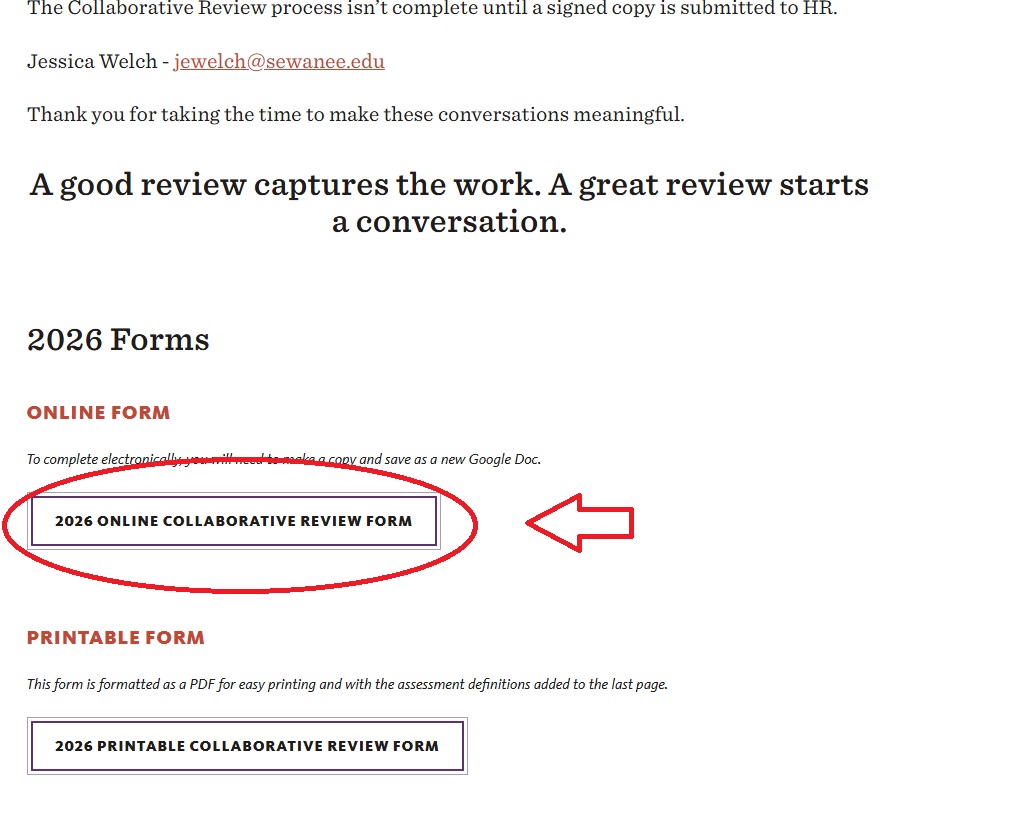
2. make a digital copy of the google doc
Once you've found the digital copy, click on FILE in the top menu, and choose MAKE A COPY: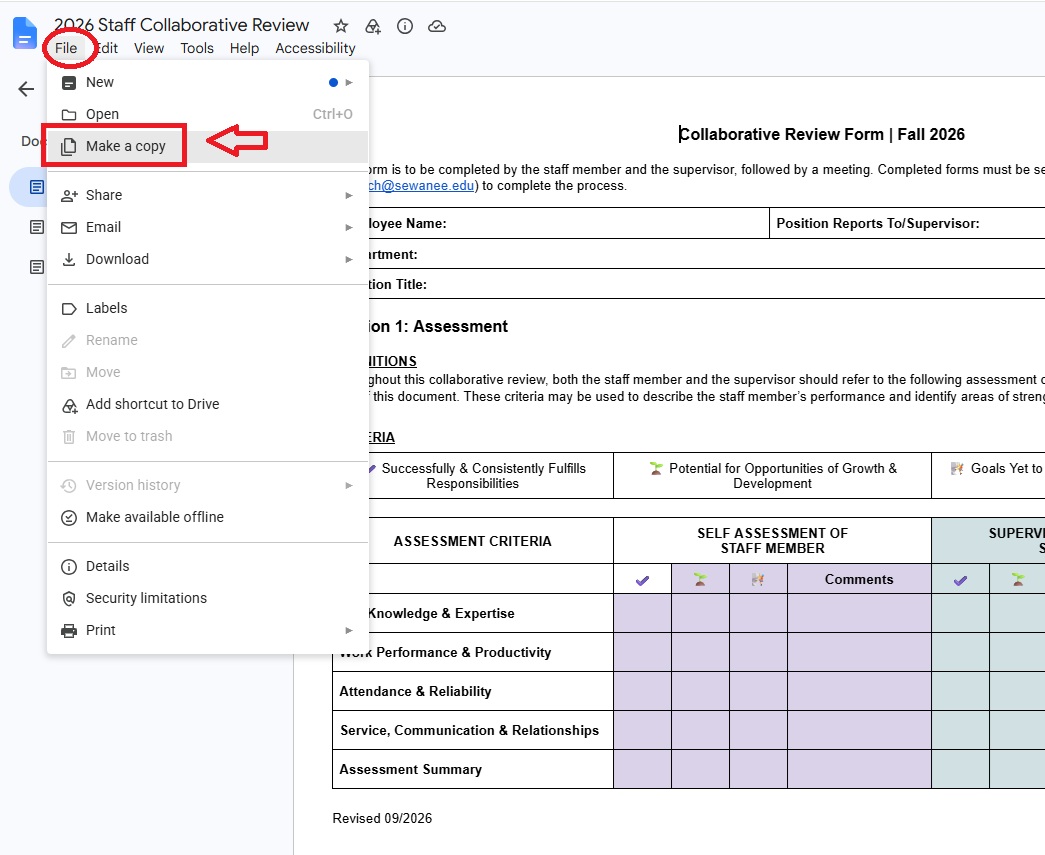
3. name and place your copy of the template
On the next screen, you should replace the "Copy of" in the filename with the name of the person reviewed on this form. Then click on "My Drive" and choose a place to put it. After that, click on MAKE A COPY to complete the template copy process.
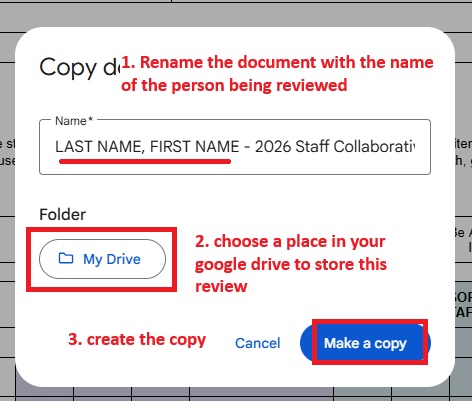
4. Find your review copy
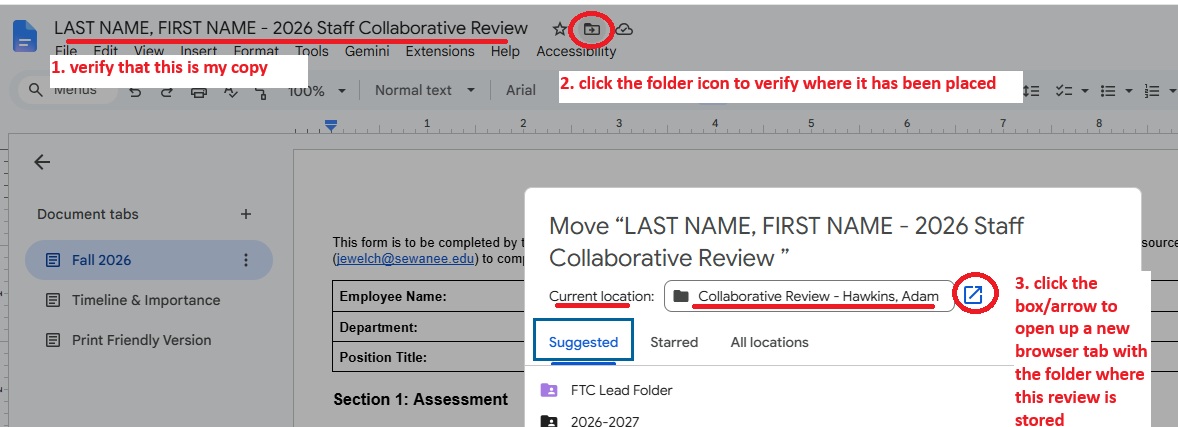
Once you've made your copy, you will see it in a new window. You should first verify that you know where you put it by clicking on the folder icon at the top, and then clicking the box/arrow icon to open a new tab to view where the review has been placed:
5. Share your review copy with your colleague
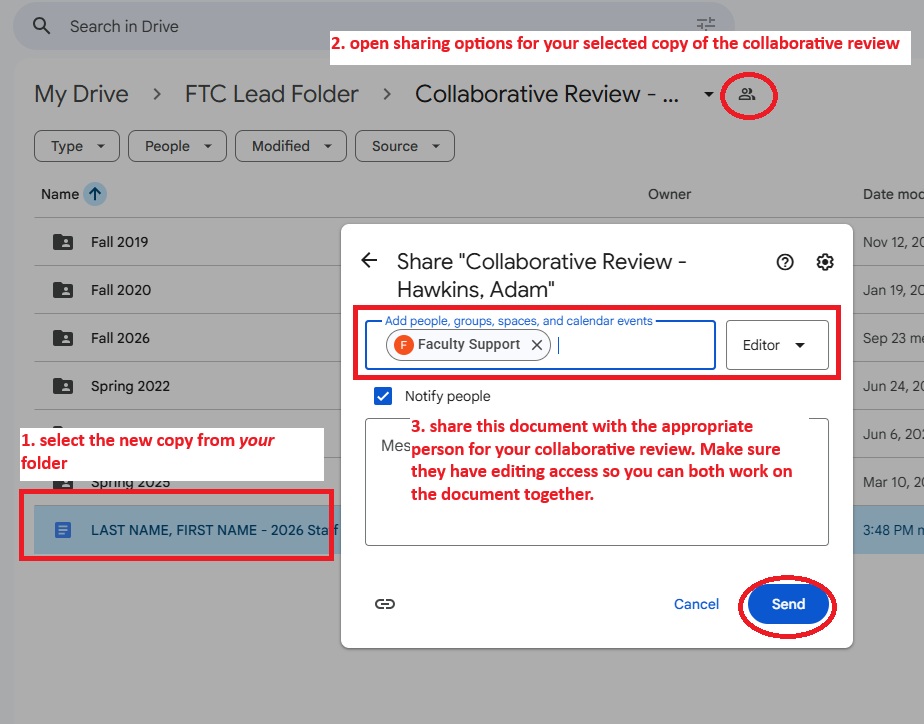
Once you've made your copy and you know where it is stored in your Google Drive, you need to share it with your collaborator. From the folder where you've made your copy, (1) select your file, (2) click on the sharing settings, and (3) share the review with the appropriate person:
Once you've shared your collaborative review copy, your co-worker will get an email to invite them to contribute. From there, you may proceed with the collaborative review process.
Questions about Copying a Google Doc Template?
helpdesk@sewanee.edu
931-598-1369