To create a Jeopardy style review game the University suggest using the Jeopardy slide template from Slides Carnival. Below you will find information on what can be added to the Jeopardy template, instructions on how to download, create, and run a game.  

What is a Jeopardy Slide Template 

Slides Carnival offers a free Jeopardy game template that can be downloaded to Canva, PowerPoint, or Google Slides. Text, images, video, audio, and equations can be added to the slides. 

Instructions

How To Find and Download 
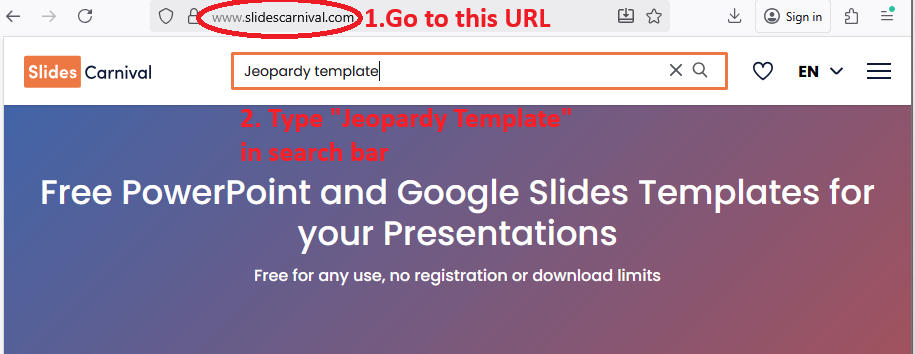
  1. Go to Slides Carnival.com
  2. Type "Jeopardy template" into the search bar
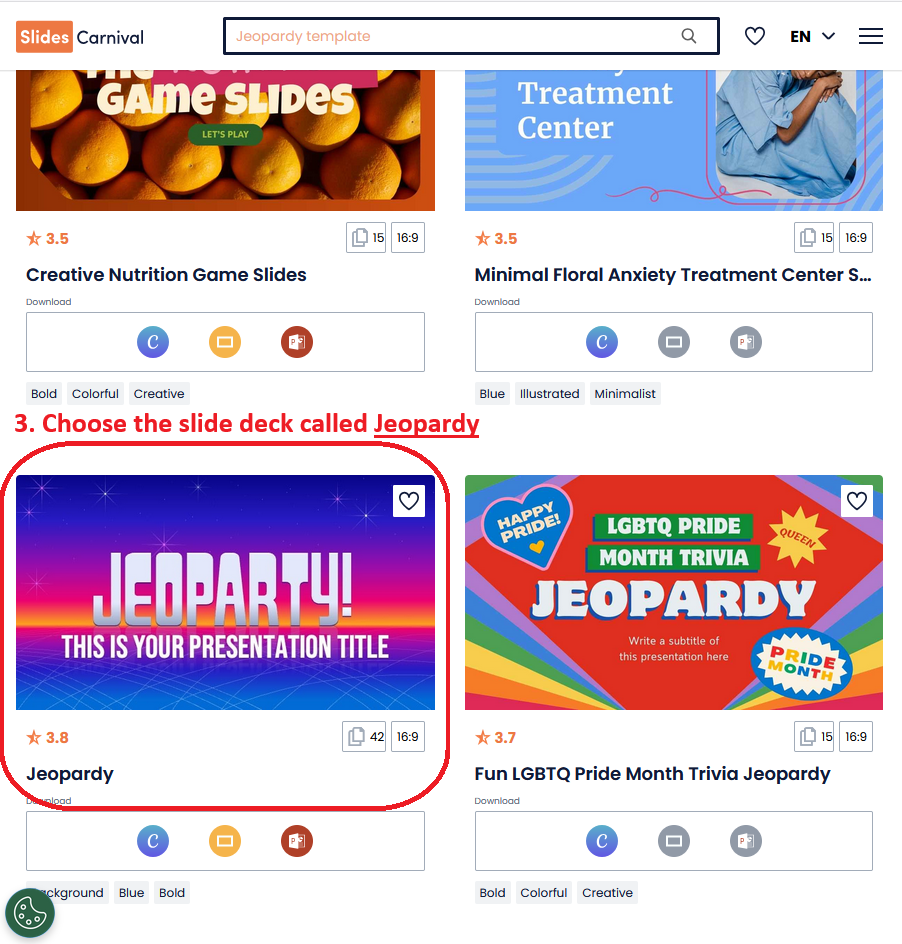
  3. Select on the option called "Jeopardy"
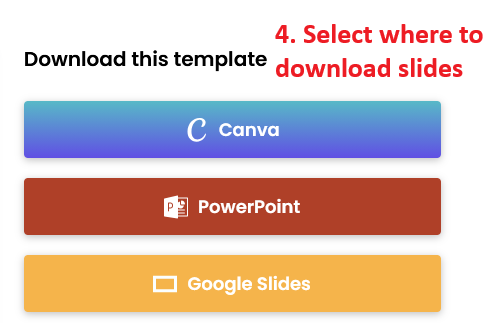
  4. Choose which presentation software to download template to                       
Make a Game 
  1. Open the slides on the platform you decided to download them to 
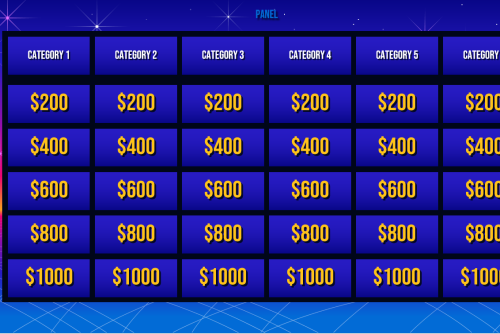
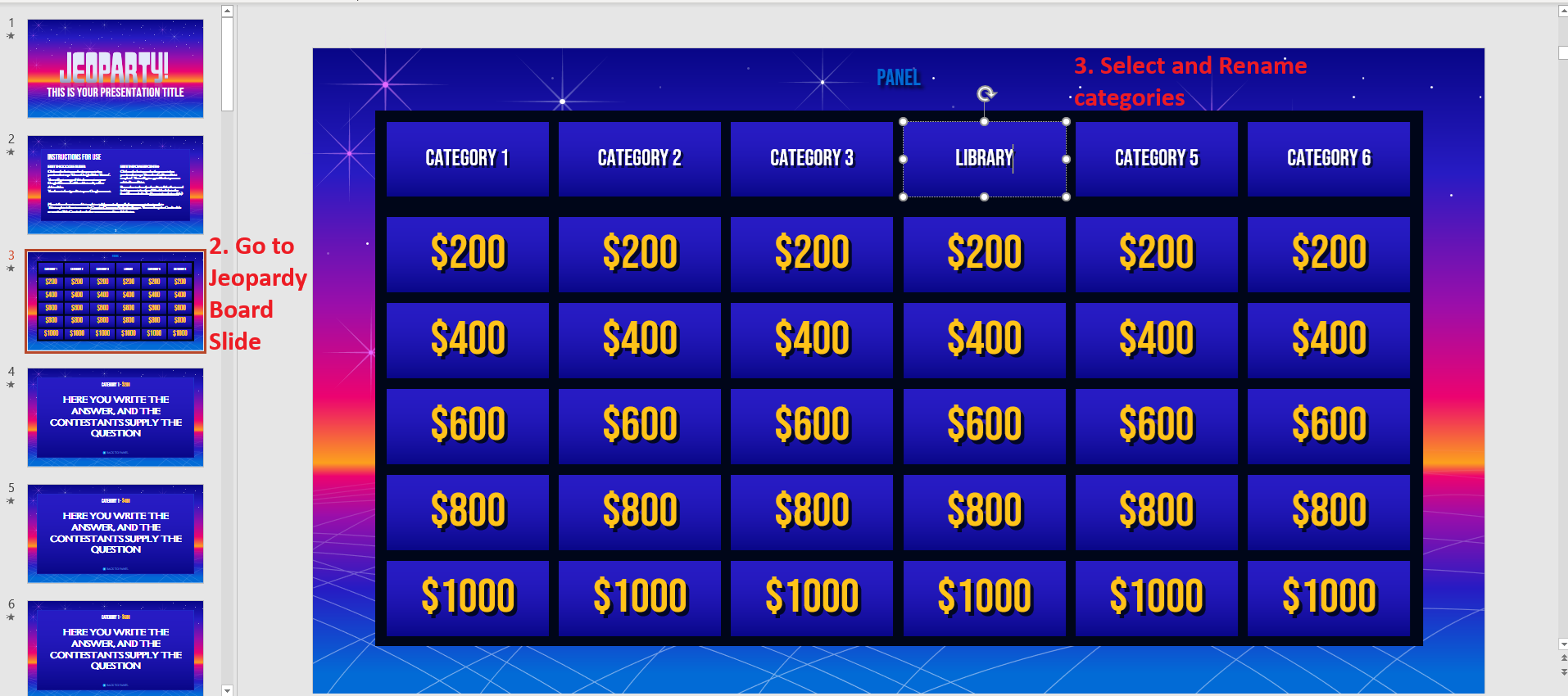
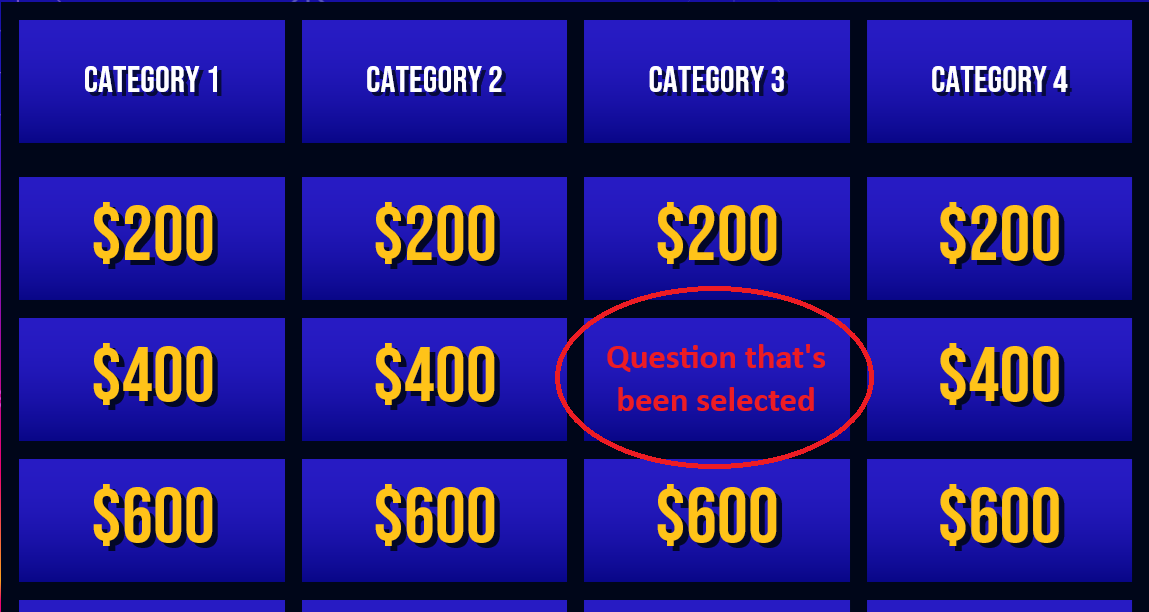
  2. Go to the slide with the 'Jeopardy Board'. (It should be the 3rd slide.)
  3. Select each category and rename it to be relevant for your game.
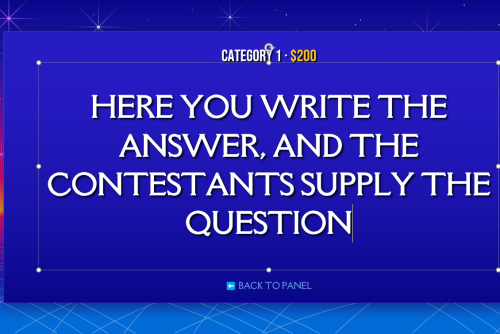
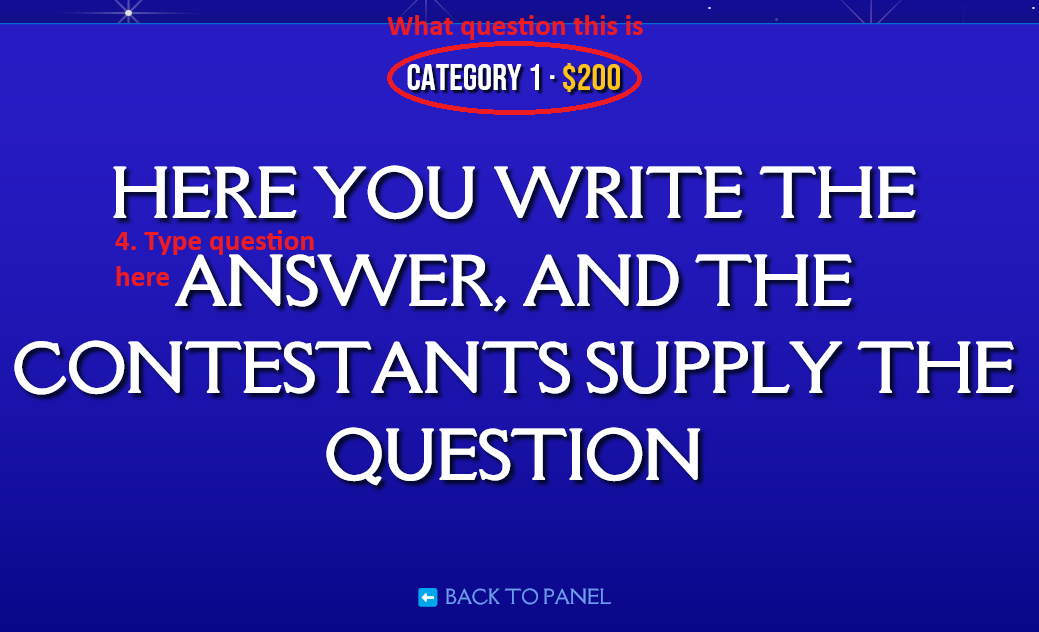
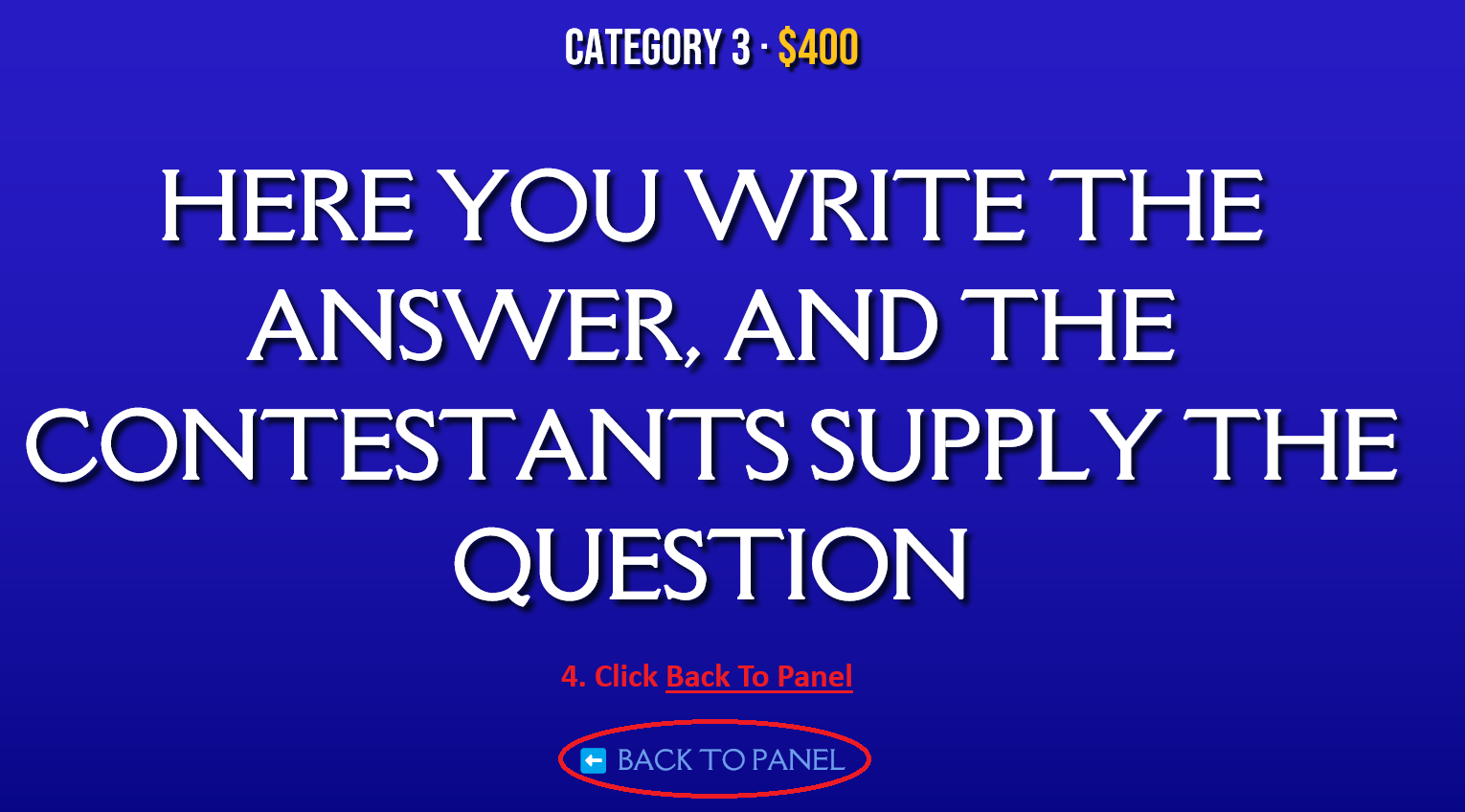
  4. On the slides that say "HERE YOU WRITE THE ANSWER, AND THE CONTESTANTS SUPPLY THE QUESTION." Delete the phrase and type your question. You will know which dollar amount and category each slide belongs to from what it says on the top of the slide. 
running A Game 
  1. Click present on whatever platform you are on 
  2. Go to the 'Jeopardy Board' slide 
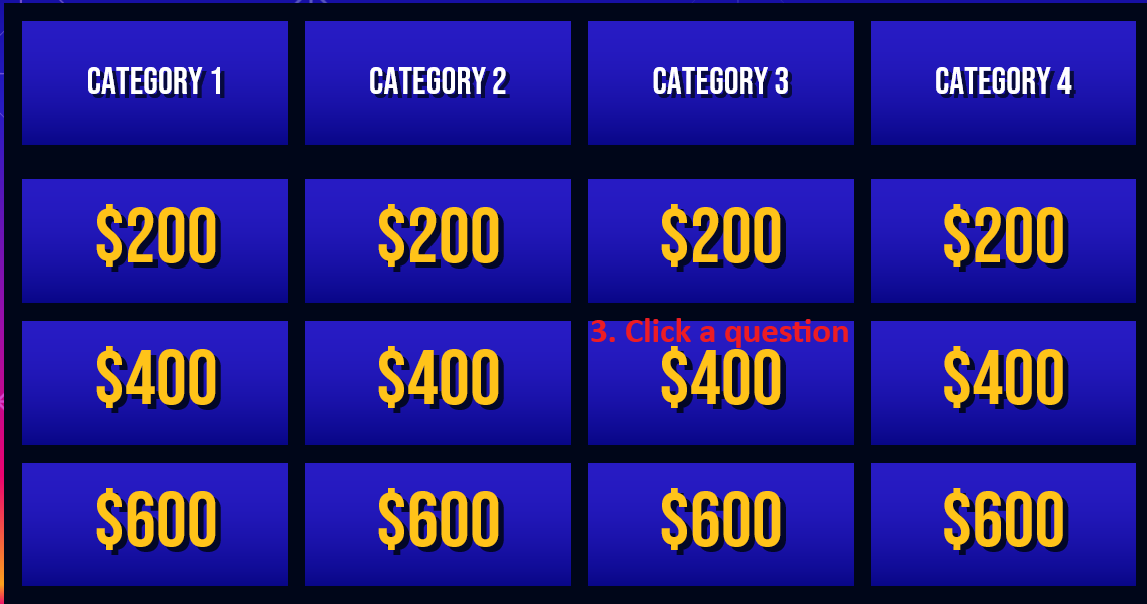
  3. Click on the question someone selected. This will automatically bring you to the slide with the corresponding question.
  4. Once the question has been answered click "Back to Panel." Which will bring you back to the 'Jeopardy Board' slide.            
Tips 

If you present the slides on PowerPoint once a question has been selected it will disappear from the 'Jeopardy Board' slide so you don't have to keep track of what has been selected.