What is A virtual Tour?

Virtual tours guide users through a digital simulation of real world locations created with images, videos, and other multimedia elements. The university supports the virtual tour software Clio. 

What is Clio?

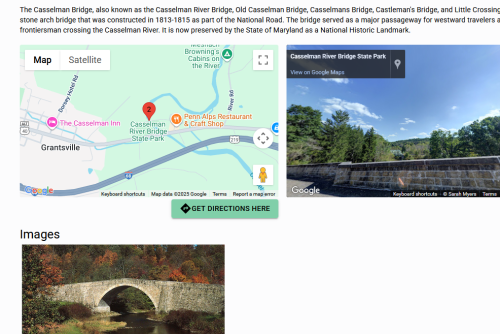
Clio is a free website and mobile app that allows users to create virtual walking, biking, and driving tours. Tours created through Clio can be taken from the comfort of one's own home, or made at the physical location. Each Clio tour stop has a template with spaces to add text, images, videos, audio, citations, related content, Google maps, and street view. Being connected to Google maps and street view makes the tours easy to follow in person, help users understand the distance between locations, and allows users viewing from home to see how locations appears in the present. 

Clio for instructors 

In Clio, instructors can create a "classroom" which allows them to view students' tours without making them public and lets students collaborate on the platform. Clio also provides resources for instructors on different ways to incorporate it into their class. Those resources can be found by going to the instructor resources section of the resources page

Instructions

Instructors
Sign In
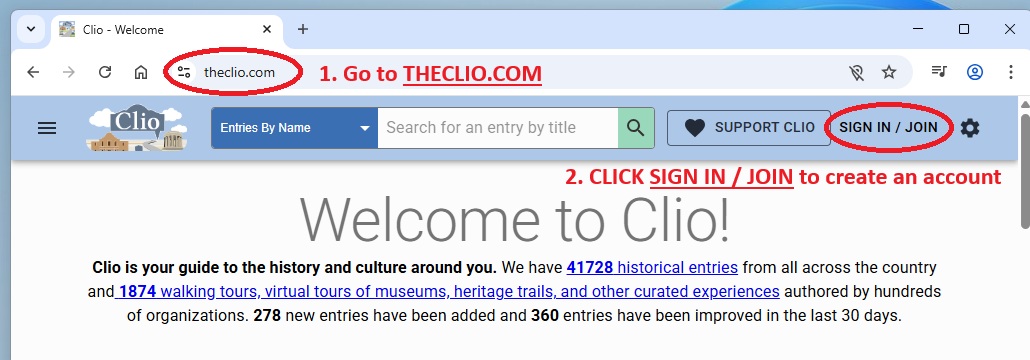
  1. Go to theclio.com
  2. Click "Sign In/ Join"
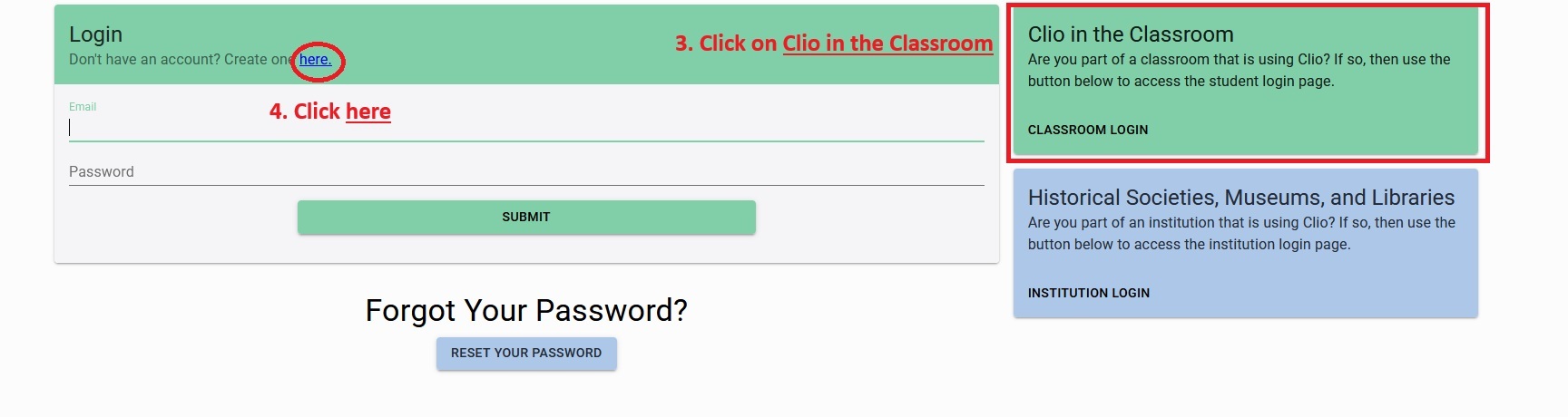
  3. Click on "Clio in the Classroom"
  4. Click on "here" to create an account
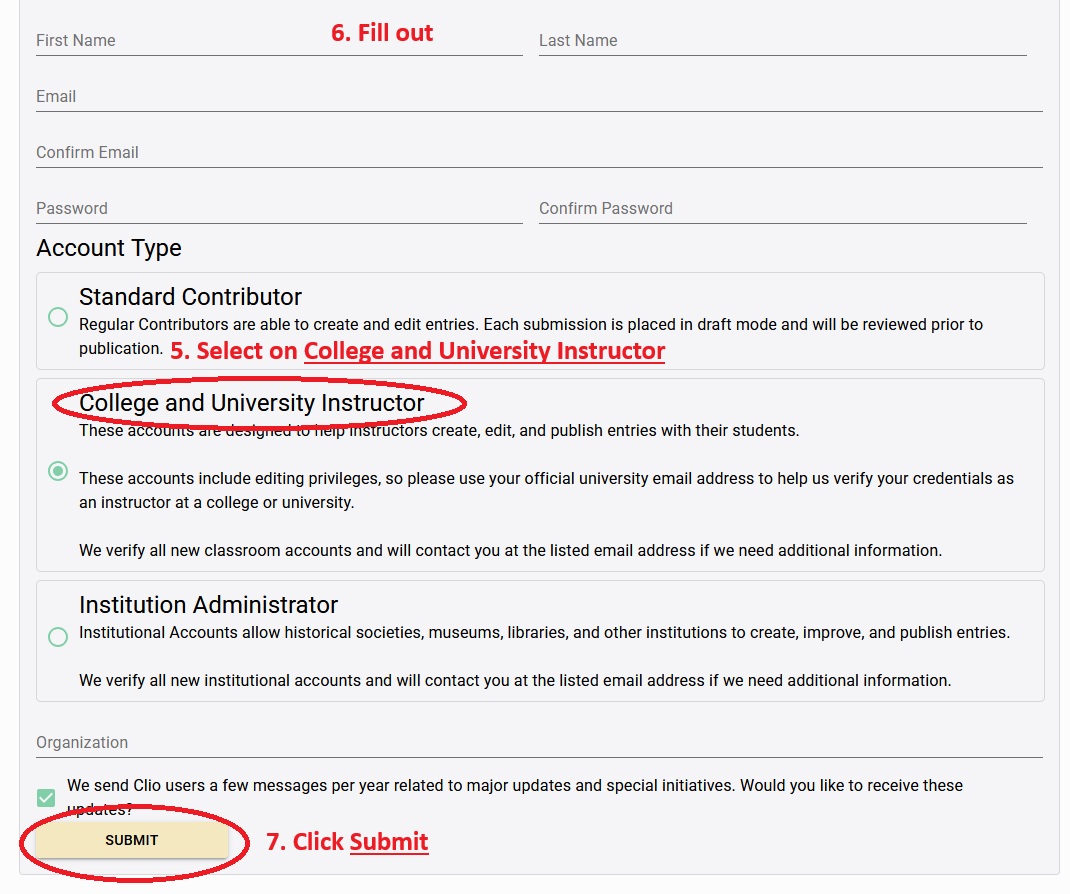
  5. Select on "College and University Instructor" 
  6. Fill out form
  7. Click "submit"
  8. You should receive an email from Clio within 5-7 days with your instructor credentials
Create a Classroom 
  1. Log in to Clio 
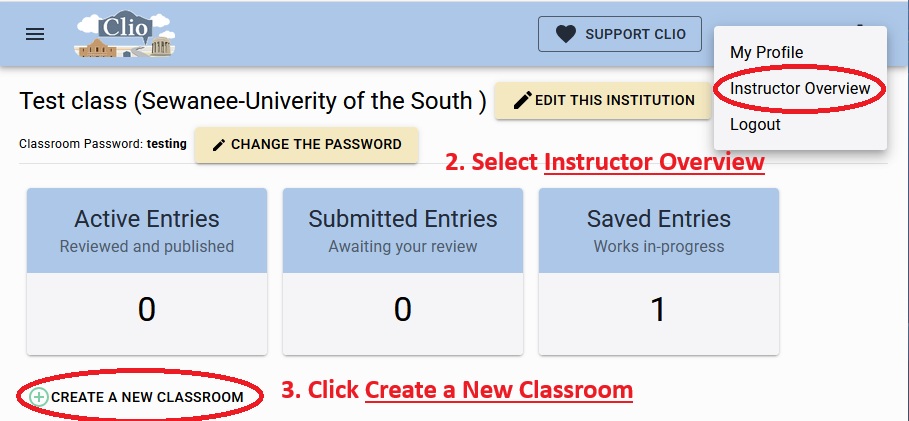
  2. Click on your name in the top right coner and select "Instructor Overview" 
  3. Click "Create a New Classroom"  
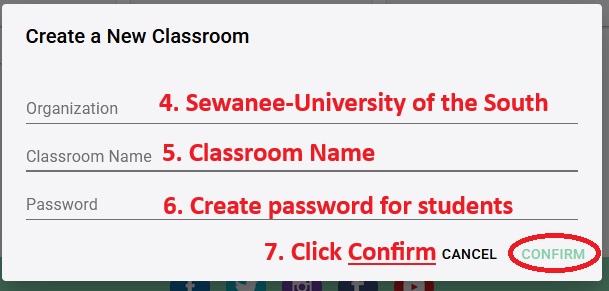
  4. Add organization as "Sewanee-University of the South" 
  5. Add classroom name
  6. Create a password for the class. (The password is how your students will login so have it be something that is easy from them to remember.) 
  7. Click "Confirm"  

Students
Sign Up 
  1. Go to theclio.com
  2. Click "Sign In/ Join"
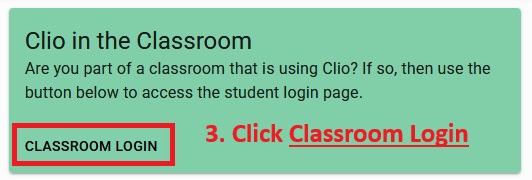
  3. Click on "Classroom Login"
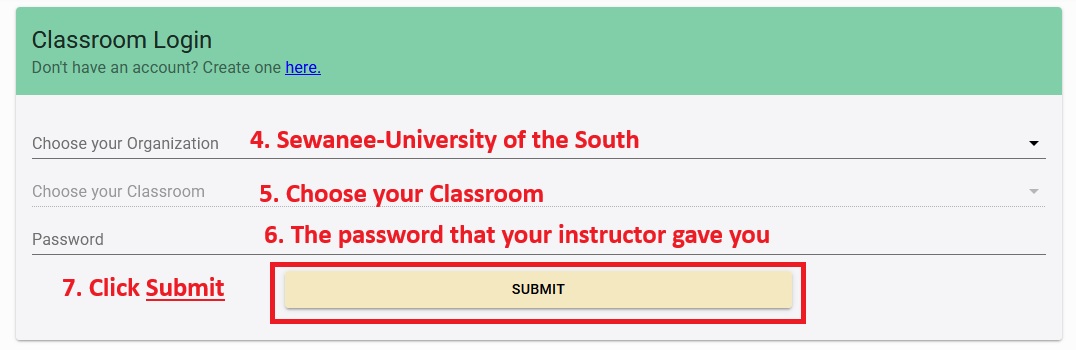
  4. For the organization chose "Sewanee-University of the South"
  5. Choose the class you are taking 
  6. Enter the password that your instructor gave you. 
  7. Click "Submit"
Independent Projects 
Login
  1. Go to theclio.com
  2. Click "Sign In/ Join"
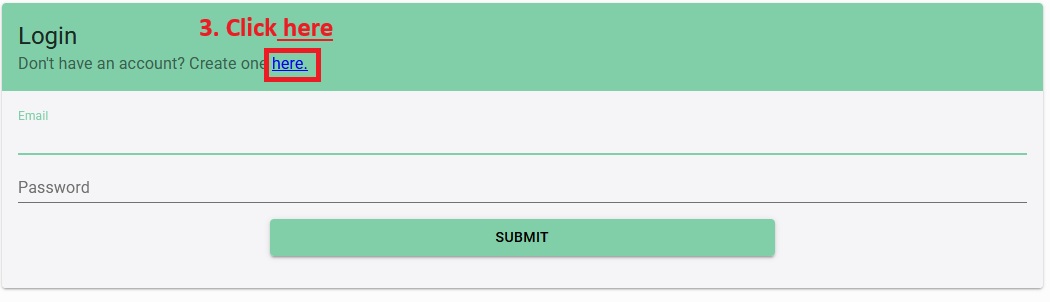
  3. Click on "here" to create an account
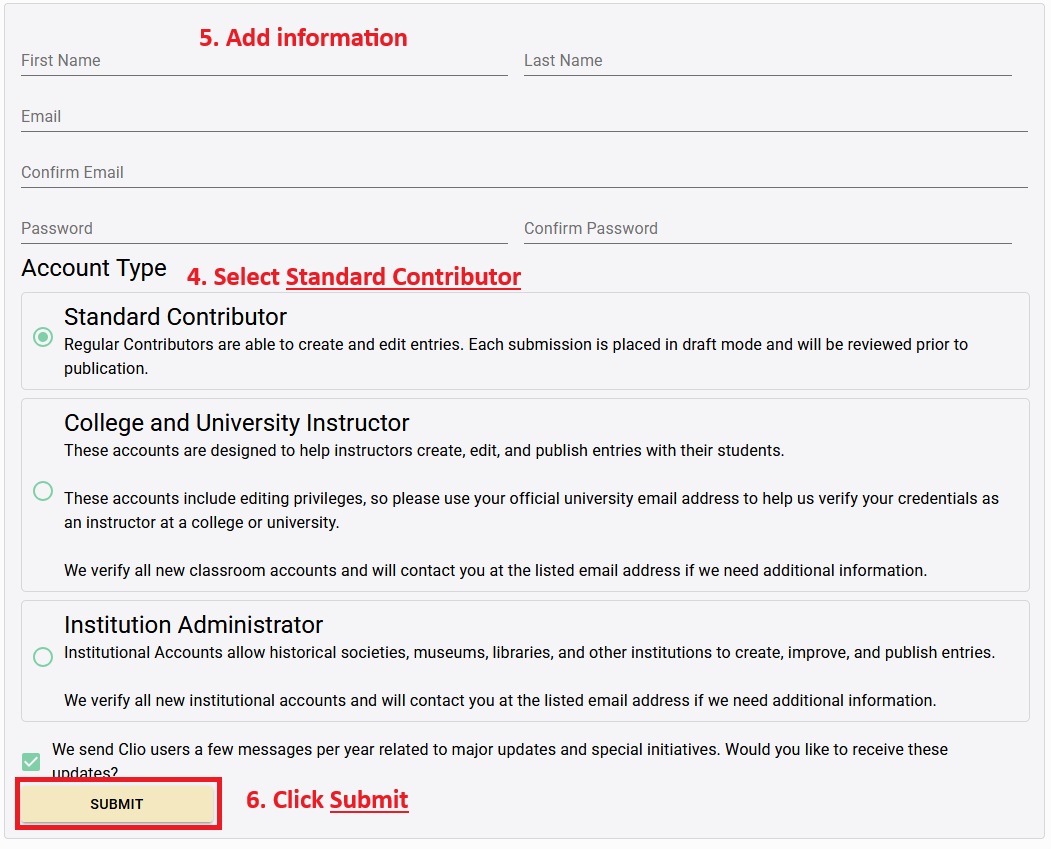
  4. Check "Standard Contributor"
  5. File out the form 
  6. Click "submit"
Create A tour

If you need instructions on how to create a tour in Clio please see the resource section or the FAQ section on the Clio website.